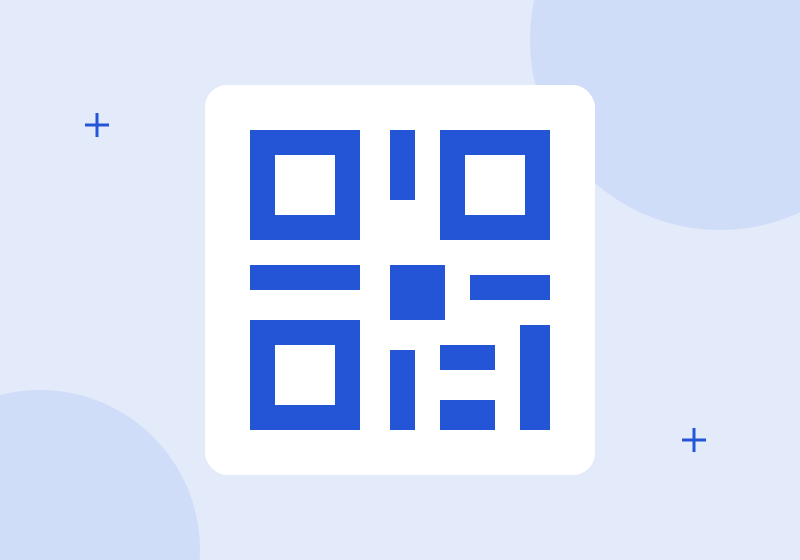
A QR code is a way to represent information, such as a website address. It makes it easy to open a link, but it doesn't prove that the destination is trustworthy. The main concern is understanding who provided the code and what action will be taken after scanning it.
The same visual format can be used for menus, payments, tickets, or account logins. Therefore, don't treat every scan as a simple query. Read the screen that appears before confirming anything.
Check the physical or digital origin.
In a store, check if the code appears to have been covered by a sticker and confirm with staff if in doubt. In a message, assess the context: were you expecting that access? The sender may have been impersonated or the account may have been compromised.
A well-known logo displayed next to the QR code does not demonstrate an official affiliation. If the transaction involves credentials or payment, opening the service's app yourself usually allows for further verification.
Read the destination before continuing.
Use the address preview when the reader offers this feature. Check the domain and be wary of names that merely mimic the service. A padlock or HTTPS indicates a secure connection to that site, but it doesn't prove that the company behind it is the one you're looking for.
If the address is shortened or doesn't make sense, you're not obligated to follow it. Request another way to access it, such as the official website or a route through the app. The convenience of the code shouldn't eliminate your ability to choose your destination.
Separate reading from authorization.
- Menu: Check if a query page has opened, without unnecessary requests for data.
- Payment: Review the recipient, amount, and description in the app before authorizing.
- Account: Find out if the code will connect a new device.
- File: Don't install programs just because the link was opened by the camera.
CERT.br advises paying special attention to codes used to access web versions of messaging applications. Scanning a linking code outside of the legitimate website may authorize a session you did not intend to create.
If you have already opened a suspicious page
Close the page and do not provide any additional information. Opening a link, entering a password, installing a file, and approving a transaction are all different situations. Note what actually happened to choose the appropriate response, without automatically assuming that everything has been compromised.
If you provided your credentials, access the service through the official channel, review your sessions, and follow our guide. account recovery. If you authorized an improper payment, immediately contact the responsible institution through official channels and keep records of it.
A routine lasting only a few seconds.
Before confirming, identify the origin, check the destination, and read the requested action. When the code appears accompanied by urgency, a prize, or a threat of being blocked, slow down and seek independent confirmation.
These precautions also apply to conventional links. The QR code changes the way you reach the page; the need to verify the service, permissions, and data remains the same.
Identify the type of action before scanning.
A QR code can represent an address, payment information, or an invitation to link a device. Cameras and apps may interpret this content in different ways. Read the next screen and check if the action matches what you intended to do.
| Context | Main Conference | When to stop |
|---|---|---|
| Menu or information | Origin and address of the page | If you request installation or data without justification |
| Payment | Recipient, value and description | If there is a discrepancy with the purchase |
| Log in on another device | Official website and session you started. | If the code came from an unexpected contact |
| Ticket or proof of purchase | Purpose of the code and validation channel | If they ask you to publish private code |
One simple habit resolves much of the confusion: after reading the code, stop before confirming. The ease of scanning doesn't require you to immediately authorize what appears.
Example: payment code at a table
Imagine a business offers payment via printed code. Check with the staff to understand the procedure and review the recipient's details and the amount in the app. If the displayed name doesn't make sense for the purchase, ask for clarification before authorizing.
Don't consider a well-printed sticker as proof of authenticity. Also, don't conclude fraud simply because a company name differs from the trade name: confirm the relationship through the establishment's channels. The important thing is to resolve any doubts before payment, not after.
Example: code to connect an account
Some services use QR codes to authorize access on a browser or device. In this scenario, scanning may be part of a login process, not just opening a page. Only do this once you have initiated the connection and confirmed the official website.
To the tips from CERT.br They emphasize caution with codes presented in web messaging interfaces. If someone sends a QR code saying it "proves your identity" or "unlocks a prize," find out what it authorizes before proceeding.
How to check a destination that's difficult to read
If the preview shows a long address, look for the domain and its purpose. Don't rely solely on the logo of the page that opened. If the link is shortened or unclear, try another approach: the official app, a known address, or confirmation with the provider.
A website with HTTPS protects the connection to that address, but it can still be a deceptive page. The assessment needs to combine destination and context. The guide to fake promotions It explains how to separate appearance from evidence.
Organize the reaction without confusing the events.
- Note whether you only opened the content or also provided data.
- Check if the installation, account linking, or payment has been completed.
- Close the suspicious flow and open the service yourself.
- Review the corresponding action on the official channel.
- Preserve records without disclosing private code.
If there was an improper linking, check devices and sessions. If a password was exposed, review the account using a trusted device. If a payment was made, contact the responsible institution quickly. Do not accept a new intermediary that charges to "undo" everything without a verifiable link.
Frequently asked questions about QR codes
Do I need to install a separate reader?
First, check the capabilities of the camera or official app that will perform the action. Do not install an unknown reader just because a sign requires it.
Can a screenshot of my ticket be published?
Avoid exposing codes that could allow use or validation by third parties. Share only the necessary part and consult the issuer's terms and conditions.
Does the code change its appearance when it's malicious?
There is no universal visual signal. The analysis depends on the origin, destination, and action requested.
How do I explain these precautions to a family member?
Show three steps: check the source, read what you opened, and review before confirming. Use an everyday example without scanning suspicious code to demonstrate.
Continue reading
- How to identify fake promotions before clicking or paying. A guide to verifying the origin, address, conditions, and suspicious requests in coupon, giveaway, and game offers.
- Account hacked: a guide to regaining access and minimizing damage. — Organize recovery through the official channel, protect your email, and review sessions, payments, and sent messages.
- Two-step authentication: how to protect your accounts and avoid losing access. In addition to activating protection, organize recovery methods and know what you should never share.
- App permissions: what to review on your phone — See how to evaluate requests for camera, microphone, location, and files according to the function you want to use.
Official sources and references
Consult the channels responsible for the resources and conditions mentioned in this guide.